
Advertisements
The best external hard drives for 2026 offer storage capacities ranging from 1TB to 8TB, with transfer speeds reaching up to 40Gbps via USB4 and Thunderbolt 4. Top models feature hardware encryption, password protection, and durable designs for professionals and casual users alike.
External storage has become essential in our data-driven world, where a single 4K video project can easily exceed 500GB and where backup strategies matter more than ever. Whether you are a creative professional managing large media files, a business user safeguarding critical documents, or simply someone who wants reliable backup for precious memories, choosing the right external drive makes a significant difference. This guide examines the best external hard drives for 2026, analyzing the options across storage capacity, transfer speeds, and security features to help you find the perfect match for your needs.
Understanding Storage Capacity: How Much Space Do You Really Need?
Storage needs vary dramatically depending on your usage patterns, and 2026 offers more options than ever before. Portable SSDs now commonly come in capacities ranging from 500GB to 4TB, while desktop external drives can reach a staggering 8TB or more in a single unit. The key is understanding your current requirements while planning for future growth.
Anúncios
For casual users who primarily store documents, photos, and occasional videos, a 1TB to 2TB drive typically provides ample space. These drives strike an excellent balance between affordability and capacity, with prices per gigabyte becoming increasingly competitive. Many users find that a 2TB portable SSD comfortably houses years of accumulated digital assets without requiring constant management.
Capacity Tiers for Different Users
- 1TB-2TB: Ideal for students, casual users, and those with moderate document and photo storage needs
- 2TB-4TB: Suited for creative professionals working with photos, music libraries, and HD video projects
- 4TB+: Designed for video editors, database managers, and users with extensive archival requirements
Creative professionals often gravitate toward the 4TB category, particularly those working with 4K or higher resolution video content. A single hour of 4K footage can consume 20GB to 40GB depending on the codec, making larger capacities not just convenient but necessary for efficient workflow. The best external hard drives in this tier combine substantial capacity with the durability needed for daily professional use.

Transfer Speeds: Why Interface Matters More Than Ever
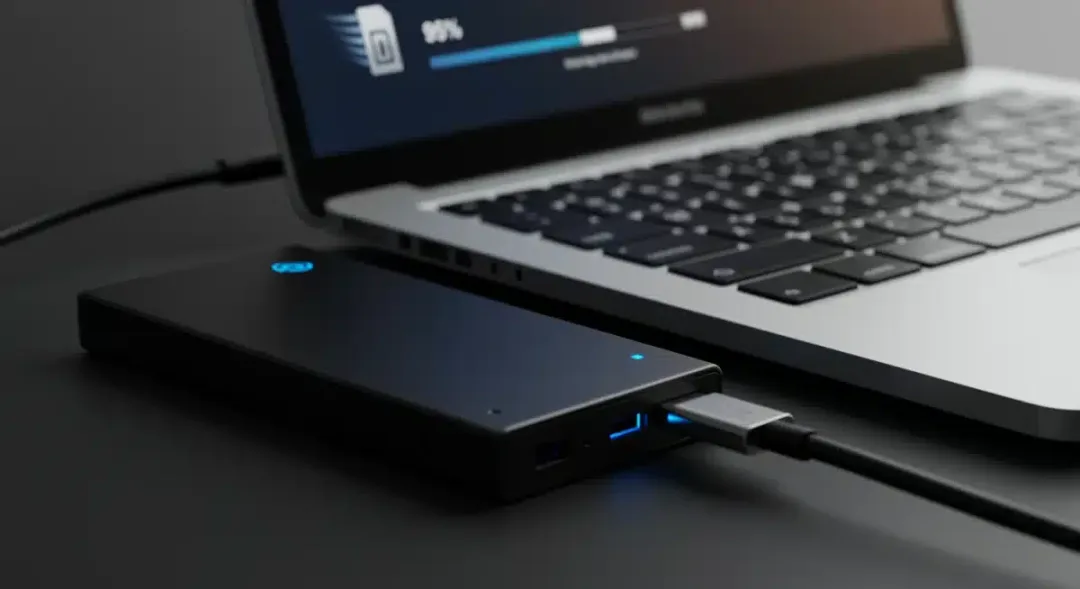
Speed is where external storage has seen the most dramatic evolution, and understanding interface options helps you avoid bottlenecks. The transition from USB 3.0 to USB 3.2 Gen 2×2 and now USB4 has been transformative, with theoretical maximum speeds climbing from 5Gbps to 20Gbps and beyond. For most users, the real-world difference between older and newer interfaces becomes immediately apparent when transferring large files.
Anúncios
Thunderbolt 4 has emerged as the premium standard for professionals who cannot afford wait times. With bandwidth of 40Gbps, these drives can handle multiple streams of 8K video or function as working drives for video editors who need to edit directly from external storage. The best external hard drives utilizing Thunderbolt 4 technology deliver consistent performance that rivals some internal drives.
Interface Standards Compared
- USB 3.2 Gen 1 (5Gbps): Entry-level speed, widely compatible, budget-friendly drives
- USB 3.2 Gen 2 (10Gbps): Mid-range performance, excellent balance of speed and affordability
- USB 3.2 Gen 2×2 (20Gbps): High-speed option, requires compatible ports on host devices
- USB4 and Thunderbolt 4 (40Gbps): Premium performance, ideal for professional workflows
When evaluating the best external hard drives for 2026, consider not just the drive’s capabilities but also your computer’s ports. A drive capable of 20Gbps delivers its full potential only when connected to a matching port. Many users discover their older computers lack the latest interfaces, making compatibility an essential factor in the purchasing decision.
Security Features: Protecting Your Data in an Connected World
Data security has transitioned from a niche concern to a mainstream requirement as cyber threats grow more sophisticated. The best external hard drives for 2026 offer multiple layers of protection, from basic password protection to hardware-level encryption that secures data even if the drive itself is stolen. Understanding these options helps you choose appropriate protection for your specific sensitivity levels.
Hardware encryption represents the gold standard, with AES-256 encryption protecting data without impacting transfer speeds. Unlike software encryption, which can slow read and write operations, hardware-encrypted drives maintain full performance while keeping your files secure. Many professional-grade external drives now include this feature as standard, reflecting the growing demand for built-in security.
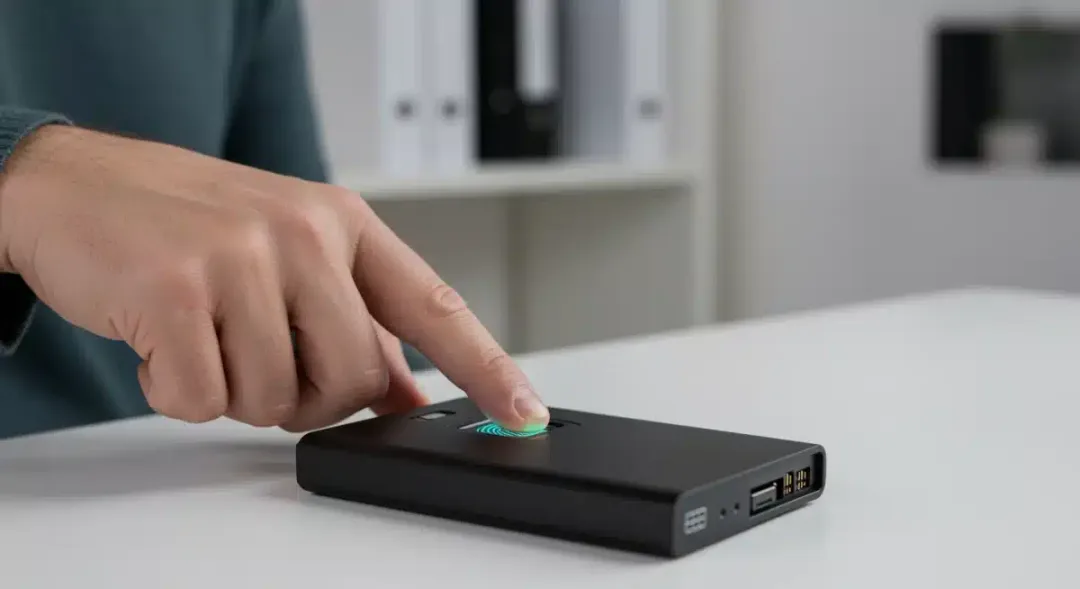
Biometric authentication has entered the external storage market, with fingerprint sensors appearing on premium models. This technology adds convenience without sacrificing security, allowing quick access while maintaining protection. For business users handling sensitive client information or creative professionals protecting unreleased work, these features provide peace of mind that simple passwords cannot match.
Portability vs. Desktop Storage: Choosing Your Form Factor
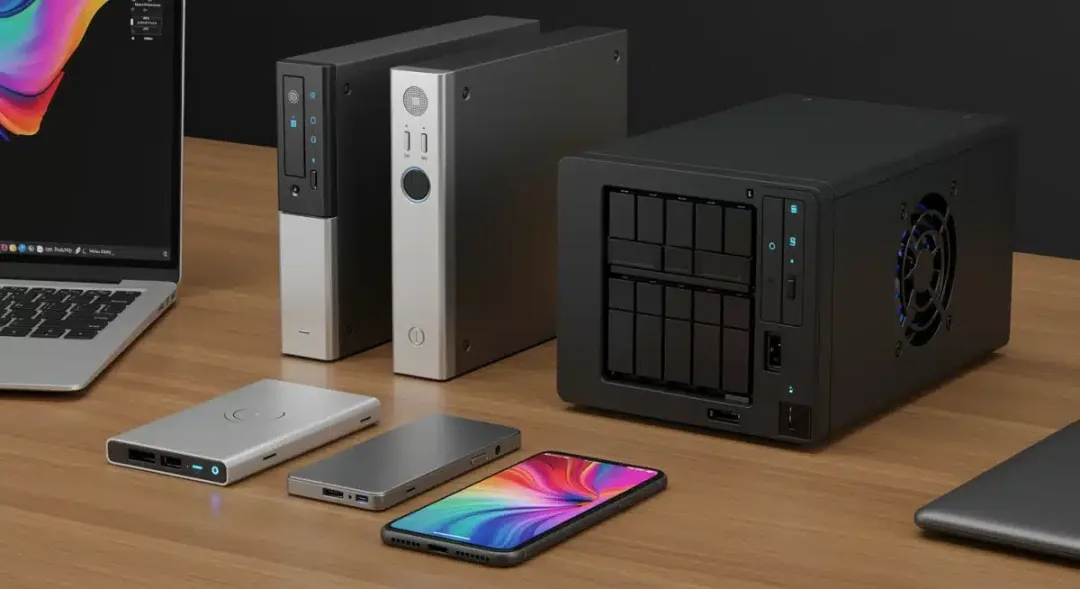
The choice between portable and desktop external drives involves trade-offs that extend beyond mere size. Portable drives prioritize mobility, offering compact designs that slip into pockets or bags while running on power provided by the USB connection. Desktop drives, conversely, use external power supplies to enable larger storage capacities and often faster spinning drives, but require a dedicated space and power outlet.
Portable SSDs have become the dominant choice for most consumers, with their combination of durability, speed, and convenience proving irresistible. The best external hard drives in the portable SSD category now feature shock-resistant designs capable of surviving falls from desk height, making them suitable for travel and daily commuting. Their lack of moving parts also means silent operation and reduced failure risk compared to traditional spinning drives.
Form Factor Considerations
- Portable SSD: Compact, powered by USB, shock-resistant, ideal for on-the-go use
- Portable HDD: Budget-friendly larger capacity, requires careful handling due to moving parts
- Desktop Drive: Maximum capacity, best value per TB, requires external power, stationary use
Desktop external drives remain relevant for users requiring maximum capacity at minimum cost per gigabyte. When paired with modern interfaces, these drives offer exceptional value for archival purposes or as part of a comprehensive backup strategy. The best external hard drives for backup applications often fall into this category, providing reliable, high-capacity storage at reasonable prices.
Top Brands and Models: Market Leaders in 2026
The external storage market in 2026 features established technology giants alongside innovative newcomers, creating a competitive landscape that benefits consumers. Samsung, Western Digital, Seagate, and LaCie continue to lead in innovation and reliability, while smaller brands offer compelling alternatives in specific niches. Understanding each brand’s strengths helps narrow choices based on your priorities.
Samsung has maintained its position as the leader in portable SSD technology, with the T9 series setting benchmarks for speed and design. Their drives consistently deliver the promised performance, and their software ecosystem provides useful management tools. Western Digital balances performance with accessibility, offering drives across all price points without significant compromises. Their WD_BLACK line targets gamers and performance enthusiasts specifically.
Seagate has focused heavily on professional markets, with the FireCuda series offering exceptional durability and performance. Their data recovery services provide additional peace of mind for users storing critical information. LaCie, owned by Seagate, continues its tradition of premium design, with drives developed in collaboration with industrial designers that appeal to creative professionals who value aesthetics alongside performance.
Price Considerations and Value Proposition
Prices for external storage have decreased steadily while performance has increased, creating excellent value across all segments. The price per gigabyte for portable SSDs has dropped below $0.10 for larger capacities, making terabyte-scale storage accessible to virtually any budget. Understanding what drives price differences helps you identify the best value for your specific requirements.
Entry-level drives around $50 to $80 offer reliable storage for basic needs, typically featuring USB 3.2 Gen 1 interfaces and 1TB to 2TB capacities. Mid-range drives between $80 and $200 provide the best balance for most users, offering USB 3.2 Gen 2 performance, better build quality, and often included security features. Premium drives exceeding $200 deliver maximum performance, premium materials, and advanced security options.
Price Tier Breakdown
- Budget ($50-$80): Basic needs, reliable performance, lower speeds acceptable
- Mid-Range ($80-$200): Best overall value, fast interfaces, good build quality
- Premium ($200+): Maximum performance, advanced security, professional-grade durability
The best external hard drives for 2026 span all these categories, meaning your budget primarily determines which premium features you access rather than basic reliability. Spending more brings meaningful improvements in speed, security, and durability, but even budget options provide trustworthy storage for everyday needs. Consider your tolerance for waiting versus your budget constraints when making this decision.
Making Your Final Decision: Recommendations by Use Case
With comprehensive information about capacity, speed, security, and pricing, you can now align your priorities with specific recommendations. Different users have different needs, and the best external hard drives for 2026 reflect this diversity. Matching your primary use case to appropriate drives ensures satisfaction with your purchase.
For general users seeking reliable backup and file storage, mid-range portable SSDs from Western Digital or Samsung provide the ideal combination of capacity, speed, and price. Creative professionals working with large media files should prioritize Thunderbolt 4 or USB 3.2 Gen 2×2 drives with at least 2TB capacity. Business users handling sensitive information should select drives with hardware encryption and consider models with biometric authentication for maximum protection.
Students and budget-conscious users find excellent value in entry-level drives that sacrifice some speed for affordability. Those needing archival storage should consider desktop drives offering maximum capacity per dollar. Whatever your situation, the market offers an external drive precisely matched to your requirements, making now an excellent time to upgrade your storage infrastructure.
| Feature | Recommendation |
|---|---|
| Storage Capacity | 1TB-4TB for most users; 8TB+ for archival needs |
| Transfer Speed | USB 3.2 Gen 2 minimum; USB4/Thunderbolt 4 for professionals |
| Security | Hardware encryption standard; biometric for sensitive data |
| Form Factor | Portable SSD for mobility; desktop for maximum capacity |
Frequently Asked Questions
What is the best external hard drive for video editing in 2026?▼For video editing, drives with Thunderbolt 4 or USB 3.2 Gen 2×2 interfaces provide the necessary speed for real-time editing. Samsung T9, WD_BLACK P50, and LaCie Rugged SSD Pro offer excellent performance with 2TB-4TB capacities, making them ideal for 4K and even 8K video workflows.
Are portable SSDs more reliable than portable hard drives?▼Yes, portable SSDs are generally more reliable because they have no moving parts, making them resistant to shock and physical damage. They also offer faster speeds and quieter operation. However, they cost more per gigabyte than traditional hard drives.
How long do external hard drives typically last?▼External hard drives typically last 3-5 years with proper care. SSDs generally have longer lifespans due to no moving parts, while HDDs may fail earlier if subjected to physical shocks. Regular backups and proper storage extend drive longevity significantly.
Do I need encryption on my external hard drive?▼If you store sensitive, personal, or business-critical data, encryption is highly recommended. Hardware encryption protects your data even if the drive is lost or stolen, without impacting performance. Many drives include this feature at no additional cost.
Can I use an external hard drive as permanent storage?▼External hard drives work well for permanent storage when used as part of a backup strategy. For primary storage, consider keeping copies in multiple locations. Desktop drives offer better value for permanent storage, while portable drives suit backup and transfer needs.
Conclusion
Choosing the best external hard drives for 2026 requires balancing your specific needs across capacity, speed, security, and budget. The good news is that the market offers excellent options at every price point, meaning virtually any user can find a drive that fits their requirements. Whether you need a lightning-fast professional workstation drive or a reliable budget backup solution, the technology exists to meet your needs. Take time to assess your actual requirements, consider future growth, and select a drive that serves you well for years to come.